

What is Kalender Sync?
Kalender Sync keeps your calendars in the loop with each other: events from one calendar automatically appear as blockers in another — in your own calendars or someone else’s. You decide exactly how much is visible: just “busy”, title and time, or full details.
This solves the classic multi-calendar problem: nobody books a meeting into a slot that has long been taken in another calendar.
Video: Kalender Sync explained
Section titled “Video: Kalender Sync explained”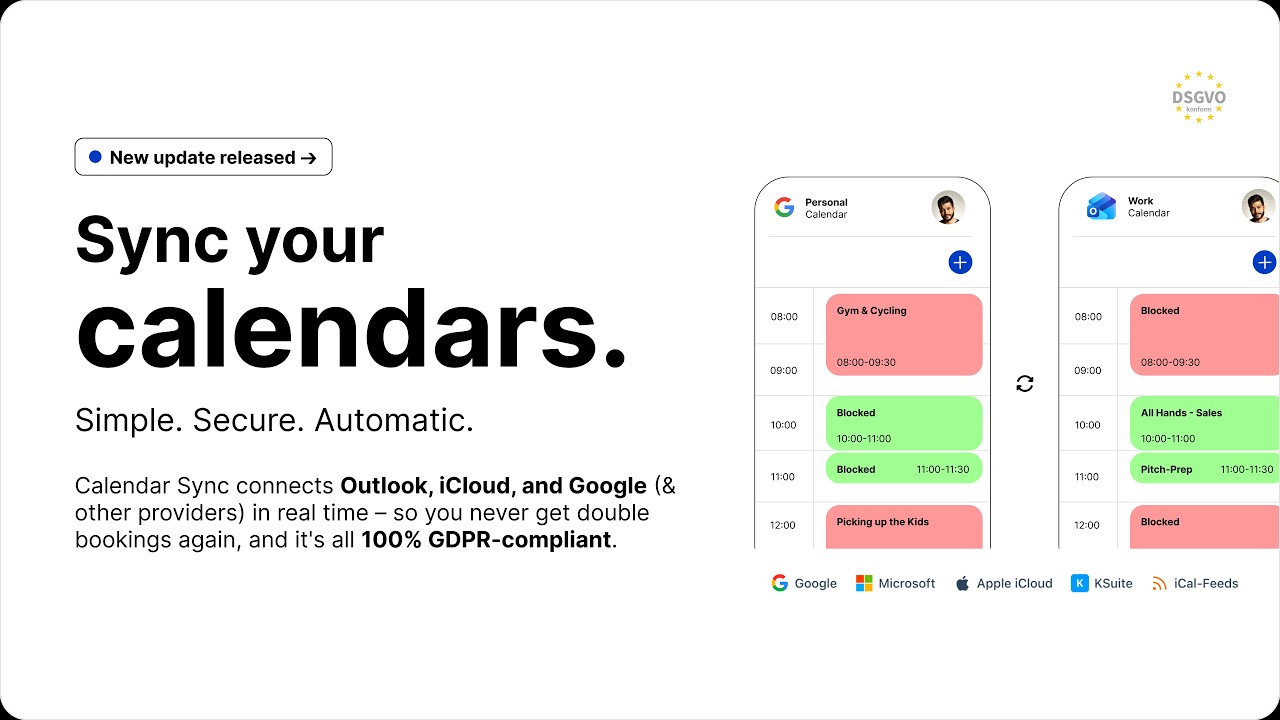
Clicking play loads YouTube. Data will be sent to Google.
Two ways to use Kalender Sync
Section titled “Two ways to use Kalender Sync”- Share calendar — you share your availability with another person (colleague, partner, assistant). They receive an email invitation and choose for themselves which calendar your blockers go into.
- Sync calendar — you link two of your own calendars, e.g. work and personal. One-way or both ways (available on Basic and up).
Good to know:
- Events always flow from the source into the target. If two calendars should block each other, set the sync up in both directions.
- Your original events are never modified — Kalender Sync only creates its own blocker events in the target and manages exclusively those.
- When you end a sync, all blockers created by Kalender Sync are cleaned up in the target.
You control what’s visible
Section titled “You control what’s visible”For each sync you pick one of three visibility levels:
| Level | What arrives in the target |
|---|---|
| Busy only (default) | Just the time slot, with a neutral title — maximum privacy |
| Title + time | Event name plus start and end time |
| Full details | Incl. location, description, notes and links |
At no level are attendee lists, email addresses, organisers or accept/decline responses transferred — that’s third-party data and stays out. More under Security & privacy.
Supported calendars
Section titled “Supported calendars”| Provider | Connection | Plan | Sync speed |
|---|---|---|---|
 Google Calendar Google Calendar | Sign in with your account (OAuth) | Free | almost instant* |
 Microsoft Outlook / 365 Microsoft Outlook / 365 | Sign in with your account (OAuth) | Free | almost instant* |
 Apple iCloud Apple iCloud | App-specific password | Basic+ | every few minutes |
 GMX GMX | App-specific password | Basic+ | every few minutes |
 WEB.DE WEB.DE | App-specific password | Basic+ | every few minutes |
 mailbox.org mailbox.org | Application password | Basic+ | every few minutes |
 Posteo Posteo | App password | Basic+ | every few minutes |
 STRATO STRATO | Mailbox password | Basic+ | every few minutes |
 Disroot Disroot | App password | Basic+ | every few minutes |
 Infomaniak KSuite Infomaniak KSuite | App password | Basic+ | every few minutes |
 iCal/ICS feeds iCal/ICS feeds | Feed URL (source only) | Basic and up | every few minutes |
* Real-time via webhooks on every plan, including Free.
Missing your provider? Email support@kalender-sync.de — we can enable most providers within a few days.
Details and guides: Connect your first calendar.
What Kalender Sync deliberately is not
Section titled “What Kalender Sync deliberately is not”- Not a calendar merge: your calendars are not combined — each calendar stays as it is; only blockers are added.
- Not a booking tool: Kalender Sync doesn’t hand out booking links. It makes sure booking tools and colleagues see your real availability.
- Not a data collector: event contents are never stored permanently — they only pass through during sync. Hosted in Germany.
Next steps
Section titled “Next steps”Received an invitation? This way: I received an invitation.