

Connect KSuite (Infomaniak)
BasicAvailable on Basic and upCompare plans
You connect Infomaniak KSuite over CalDAV with your sync username and an app password — both found in the Infomaniak manager. Sync picks up changes every 5 minutes. Nice for privacy-minded setups: Infomaniak hosts in Europe, like we do.
1. Prepare username & app password
Section titled “1. Prepare username & app password”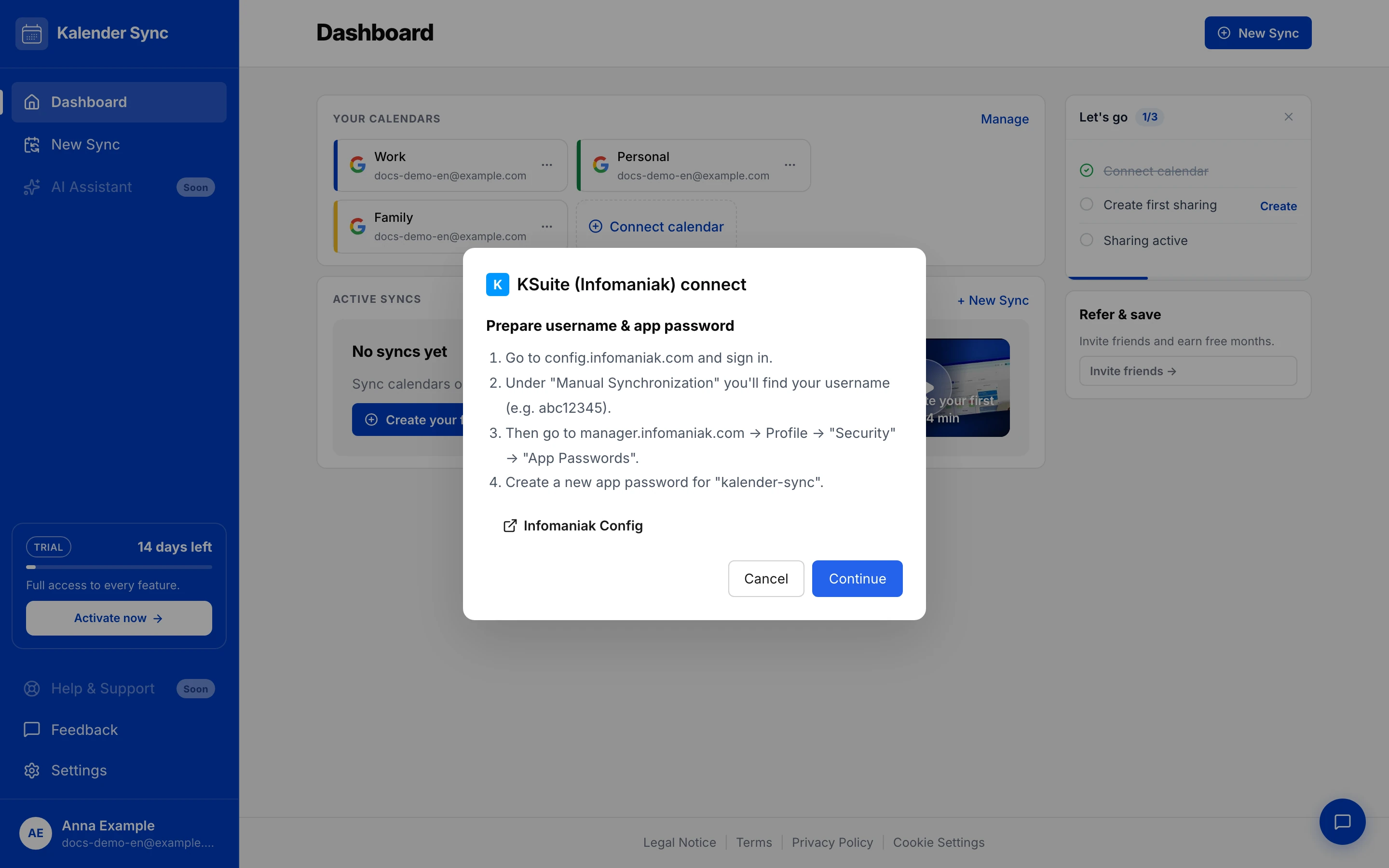
- Open config.infomaniak.com and sign in.
- Under “Manual synchronisation” you’ll find your username (e.g.
abc12345). - Then go to manager.infomaniak.com → Profile → “Security” → “App passwords”.
- Create a new app password, e.g. named “kalender-sync”.
2. Connect in Kalender Sync
Section titled “2. Connect in Kalender Sync”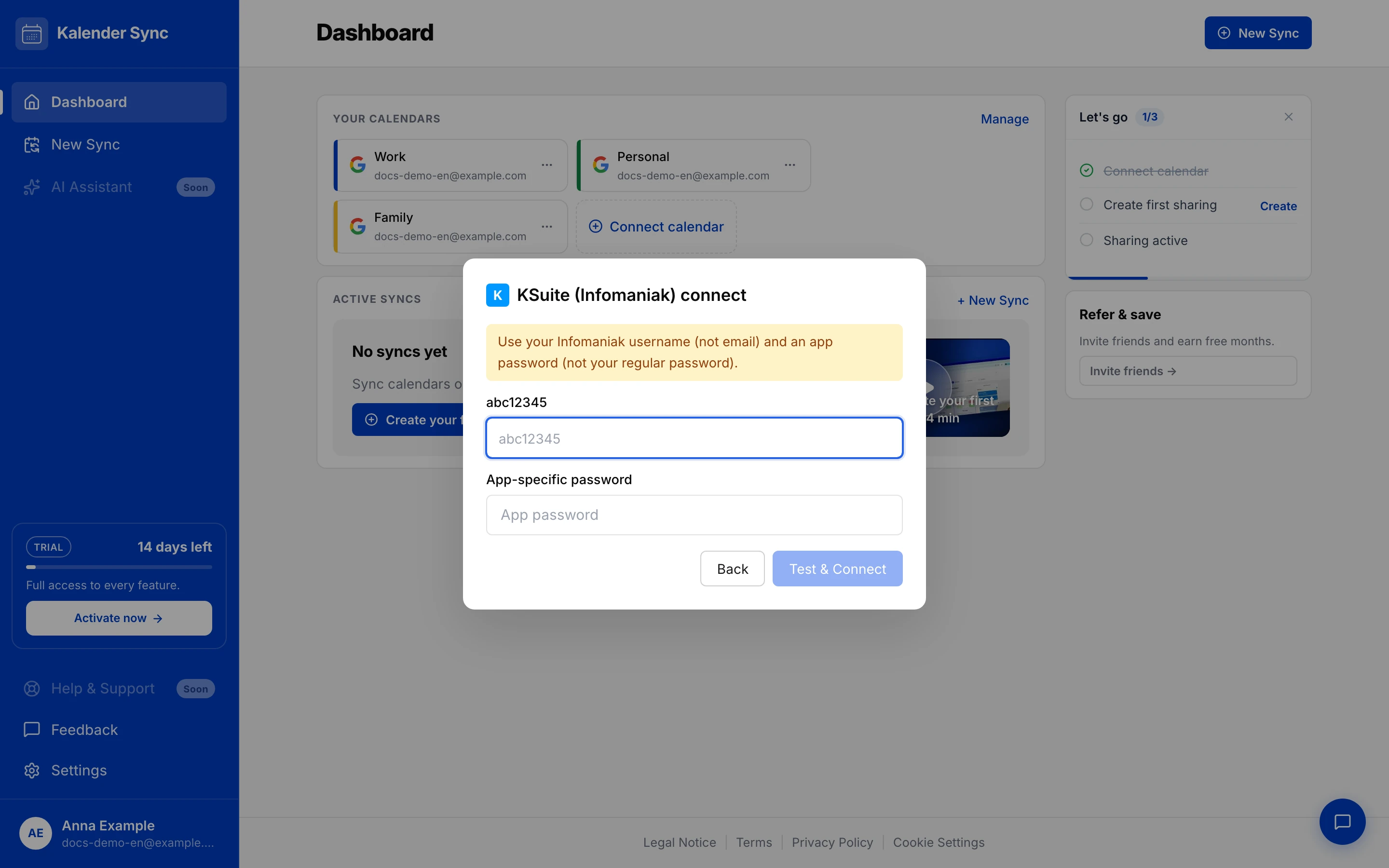
- In the dashboard: “Connect calendar” → “Infomaniak KSuite” → “Continue” to the form.
- Enter the username (not the email address!) and the app password.
- “Test & Connect” — Kalender Sync verifies the connection immediately.
If “sign-in failed” appears
Section titled “If “sign-in failed” appears”- Used the username instead of the email address?
- Pasted the app password, not the account password?
- Password revoked in the manager? Simply create a new one (step 1).
“Create new calendar” fails?
Section titled ““Create new calendar” fails?”If setting up a sync ends with “The calendar could not be created at your provider”, you have hit an Infomaniak quirk: calendars created externally (via CalDAV) are not reliably provisioned by Infomaniak — the creation is acknowledged, but the calendar does not actually exist afterwards. Kalender Sync verifies this right away and aborts cleanly instead of setting up a sync that could never work.
The reliable way:
- Create the target calendar directly in Infomaniak Calendar.
- Reopen the sync wizard in Kalender Sync — the new calendar appears in the picker (if not: refresh the calendar list via “Manage”).
- Pick “Choose existing calendar” and select the newly created one.
Ending access
Section titled “Ending access”In Kalender Sync: remove the calendars. You can also delete the app password in the Infomaniak manager any time — access ends immediately.