
Prefix in the target calendar
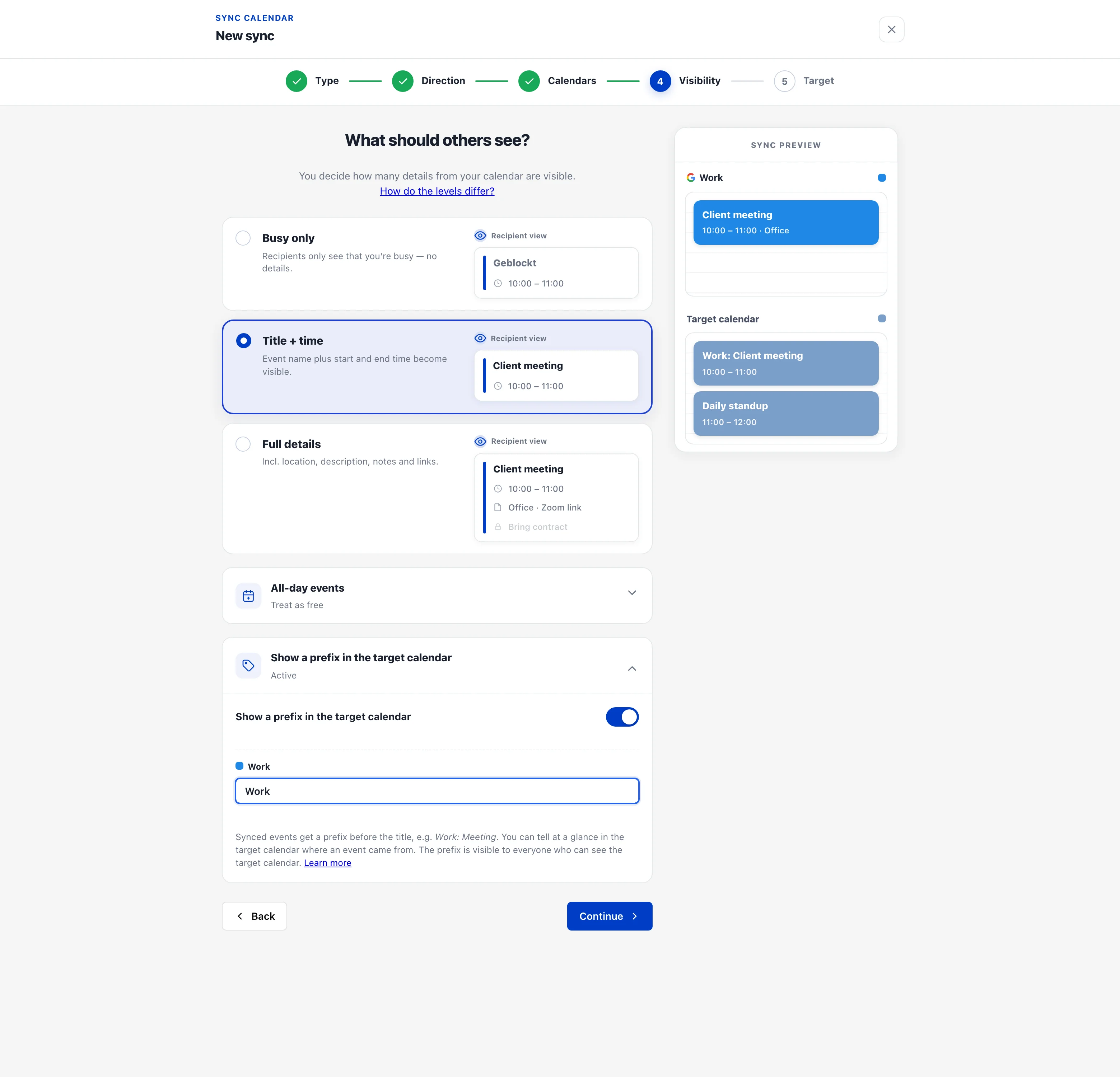
When several calendars sync into the same target calendar, you can’t tell where an event came from. With the prefix in the target calendar, every synced event gets a short tag before its title — “Meeting” becomes e.g. “Work: Meeting”.
How it works
Section titled “How it works”- When setting up the sync, pick the “Title + time” or “Full details” visibility level in the “Visibility” step.
- Enable “Show a prefix in the target calendar”.
- Enter a short prefix — e.g. “Work”, “Private” or your firm’s name. With several source calendars you can set a prefix per calendar.
- The sync preview on the right immediately shows how events will look in the target calendar.
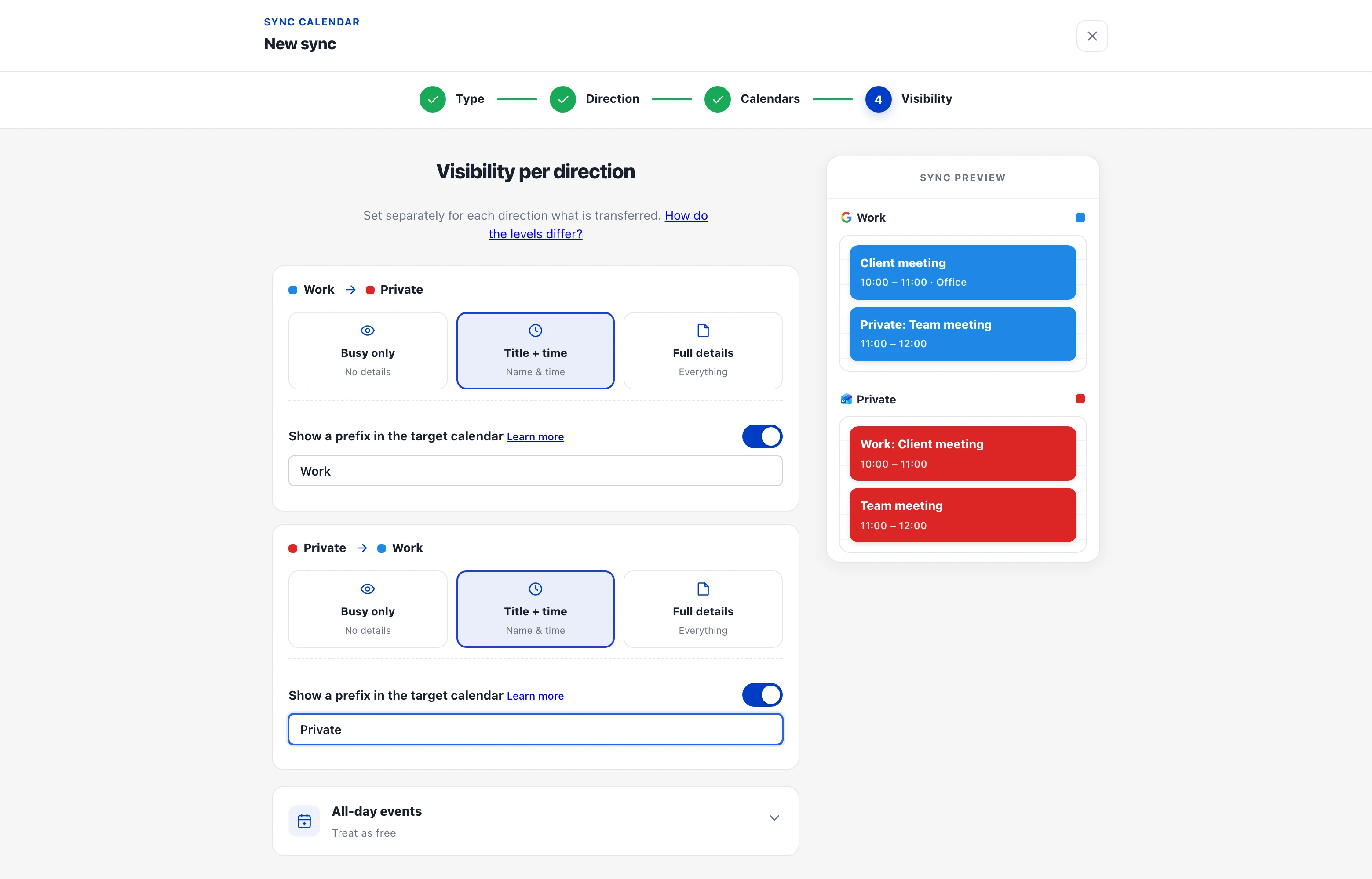
For a two-way sync you set the prefix per direction — e.g. “Work” for events written into your private calendar, and “Private” for the other direction.
The rules in detail
Section titled “The rules in detail”- Format:
Prefix: Event title, the prefix can be up to 30 characters long. - Length: If the combined title exceeds 250 characters, we shorten it at the end with ”…” — otherwise some calendars (Outlook in particular) reject the event.
- Visibility: The prefix is part of the event title, so it is visible to everyone who can see the target calendar.
- No prefix with “Busy only” — there the placeholder title plays that role.
- Fixed text: The prefix is its own text, not a live reference to the calendar name. If you rename the source calendar later, the prefix stays unchanged — so all events keep a consistent look.
- Works with all providers (Google, Microsoft, Apple/CalDAV, iCal feeds as source).
Changing it later
Section titled “Changing it later”The prefix can be set, changed or removed at any time: in the dashboard via the sharing’s three-dot menu → “Edit”. The already-synced events in the target calendar are automatically rewritten with the new prefix → Edit a sharing.