

iCal feed as a source
BasicAvailable on Basic and upCompare plans
Kalender Sync can use any HTTPS-reachable iCal/ICS feed as a source. That brings calendars into the system that have no native integration — and it’s the most important fallback when your organisation blocks OAuth connections (more on that).
Before you start
Section titled “Before you start”- Feeds are read-only: Kalender Sync pulls source events from them but cannot write into the feed. As a target calendar you still need a connected account.
- The feed is polled every 5 minutes; the provider’s own caching adds on top (Outlook feeds can update sluggishly).
- The feed URL usually contains a secret (token) — treat it like a password. Kalender Sync stores it encrypted.
Finding your calendar’s secret iCal address
Section titled “Finding your calendar’s secret iCal address”Google Calendar
Section titled “Google Calendar”- Open Google Calendar on the web → gear icon → Settings.
- Click the calendar on the left → section “Integrate calendar”.
- Copy the “Secret address in iCal format”.
The secret (not the public) address shows all events. You can reset it at Google any time if it ever leaks.
Outlook / Microsoft 365
Section titled “Outlook / Microsoft 365”- Open Outlook on the web → gear icon → Calendar → Shared calendars.
- Under “Publish a calendar”, pick the calendar and the permission — “Can view all details” if titles & details should transfer, otherwise “Can view when I’m busy”.
- Copy the ICS link.
The chosen permission determines what’s in the feed — and thereby the maximum Kalender Sync can read. The sync’s visibility level can restrict it further, but never extend it.
Apple iCloud
Section titled “Apple iCloud”- Open the iCloud calendar → share icon next to the calendar.
- Enable “Public Calendar” and copy the link.
- No need to change
webcal://— Kalender Sync converts it tohttps://automatically.
Adding the feed in Kalender Sync
Section titled “Adding the feed in Kalender Sync”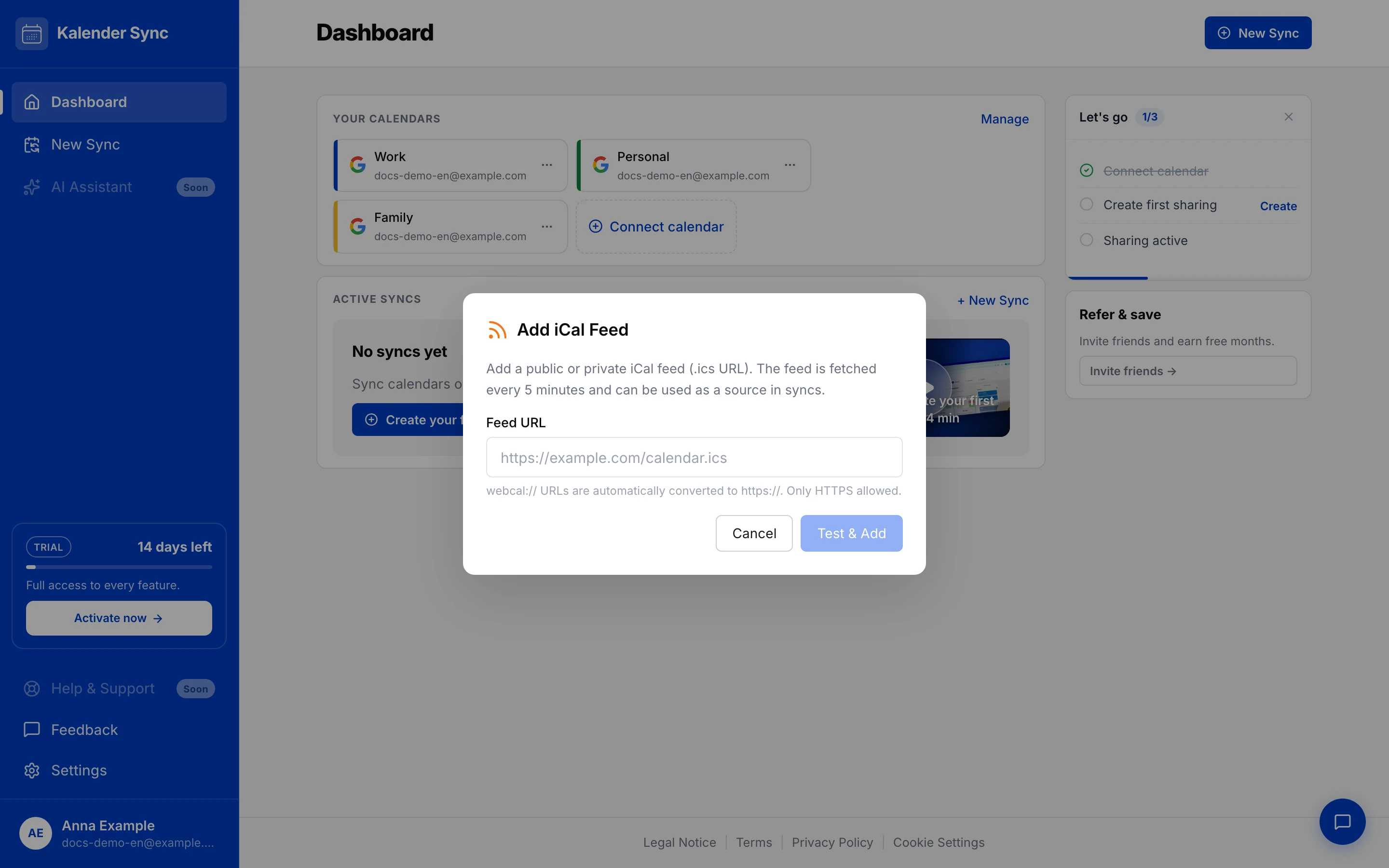
- In the dashboard: “Connect calendar” → “iCal Feed (URL)”.
- Paste the copied URL (HTTPS only;
webcal://is converted automatically). - “Test & Add” — Kalender Sync fetches and verifies the feed right away.
The feed is then available as a source in your syncs.
Limits of feeds
Section titled “Limits of feeds”- Source only, never target — syncing back into the blocked calendar doesn’t work via feed.
- 5-minute cadence plus provider caching instead of real time.
- An iCal export out of Kalender Sync (your own feed URL to subscribe to) doesn’t exist yet → Known limitations.
Removing a feed
Section titled “Removing a feed”Feeds appear under Settings → “Connected calendars” as a regular calendar card. On deletion, the dialog lists all affected syncs (“Deleting “X” will end N syncs”) and ends them cleanly — the blockers in the target calendars are cleaned up. Details: Removing calendars.